
Under the hood
BimdFlow: How BimdUP Moves Files Between Your Devices
A look at the adaptive, encrypted transfer system behind BimdUP — from a six-digit pairing code to a direct or securely relayed device-to-device connection.
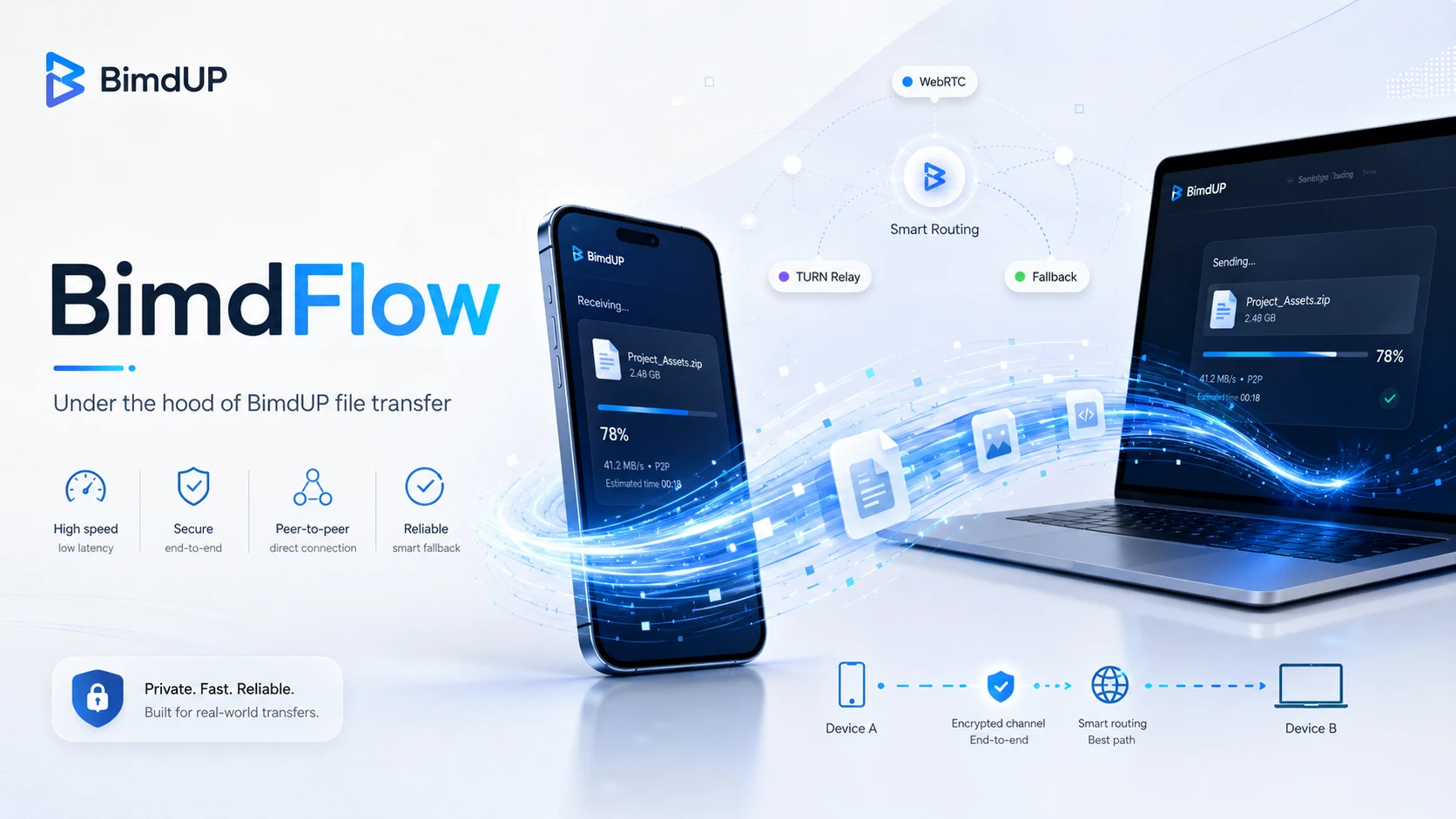
File transfer usually takes a detour
Many familiar file-transfer workflows send a file up to a service and then bring it back down to another device. In simple terms, that route is Phone → cloud/server → computer: one upload, followed by another download.
BimdUP was designed around a different model: Android → BimdFlow → computer, or the same path in reverse. BimdUP’s PHP/MySQL application server coordinates the connection rather than functioning as permanent file storage.
BimdUP does not upload your files to BimdUP cloud storage. File data moves through an encrypted WebRTC connection, directly when possible and through an encrypted TURN relay when network conditions require it.
Meet BimdFlow
BimdFlow is BimdUP’s name for the complete adaptive transfer path that connects an Android device with a computer browser and moves file data between them.
Underneath that name are established networking technologies: a WebRTC DataChannel, ICE, STUN, TURN, encrypted WebRTC transport, HTTPS signaling, and temporary pairing sessions. BimdFlow is the experience BimdUP builds from these technologies — not a replacement for them or a new internet protocol.
BimdUP HTTPS / PHP / MySQL: temporary pairing, session authorization, SDP offer/answer, ICE candidates, and temporary ICE/TURN configuration.
WebRTC DataChannel: the actual transferred file bytes, using a direct or TURN-relayed route.
The Android device and computer browser exchange temporary pairing and signaling control information through BimdUP’s HTTPS PHP and MySQL service. ICE then selects either a direct WebRTC route or an encrypted TURN relay route. Actual file bytes travel through the WebRTC DataChannel.
A six-digit code brings your devices together
The computer browser starts a transfer session and displays a temporary six-digit code. You enter that code in the Android app, and BimdUP associates both peers with the same temporary session. After this human-friendly pairing step, strong temporary session credentials authorize subsequent communication.
The code is deliberately easy to type, but it is short-lived and is not the lasting security credential for the session.
BimdUP introduces the devices — then gets out of the data path
Before two devices can communicate over WebRTC, they need an introduction. Over HTTPS, the PHP/MySQL backend lets the browser and Android exchange a WebRTC offer, answer, ICE candidates, session state, and temporary ICE configuration. This is small control information used to establish the connection.
BimdUP server handles
- Pairing and authorization
- WebRTC signaling
- Temporary connection configuration
BimdUP server does not handle
- Transferred file uploads
- Temporary file copies
- Permanent file storage
- Download hosting
There is no application endpoint that accepts the transferred file payload. Once WebRTC is ready, file bytes use the DataChannel rather than the signaling server.
ICE looks for the best available route
Phones and computers are often behind routers, NAT, carrier networks, corporate firewalls, or Wi-Fi configurations that prevent one device from simply opening a connection to another. Interactive Connectivity Establishment — ICE — evaluates available connection candidates and determines which path actually works.
BimdFlow handles that negotiation in the background. You do not need to know IP addresses, ports, NAT types, router settings, or candidate priorities.
Direct when the network allows it
STUN helps a device discover how it appears from outside its local network. It helps ICE identify possible routes; it does not relay file data. When ICE establishes a viable peer-to-peer connection, the file can travel over that direct WebRTC route.
In this article, we call that condition BimdFlow Direct. It is a public-facing description of the selected route, not a rename of WebRTC or an internal protocol field.
When direct isn't possible, BimdFlow finds another way
Restrictive corporate networks, carrier-grade NAT, some mobile networks, firewall policies, and unusual router configurations can prevent a usable direct connection. A TURN relay provides a reachable network path that both devices can communicate through instead.
BimdUP’s production architecture uses Cloudflare Realtime TURN for this fallback. The WebRTC connection remains encrypted while TURN relays packets. TURN is a network relay path, not permanent BimdUP cloud storage, and it does not turn the BimdUP application server into a file-storage service.
We call this condition BimdFlow Relay. Like BimdFlow Direct, it is explanatory terminology rather than a new protocol.
Direct and relay are two paths through BimdFlow
BimdFlow Direct
- Path
- Android ↔ Computer
- Used when
- ICE can establish a viable direct peer connection.
- Role of BimdUP server
- Pairing and signaling only.
BimdFlow Relay
- Path
- Android ↔ encrypted TURN relay ↔ Computer
- Used when
- A direct connection cannot be established reliably.
- Role of BimdUP server
- Pairing, signaling, and temporary ICE/TURN configuration.
Both are BimdFlow. You do not choose a mode manually; BimdUP uses the available viable WebRTC path.

The file becomes a stream of manageable pieces
BimdUP uses a reliable, ordered WebRTC DataChannel. Instead of reading an entire large file into memory before sending, the current implementation reads selected content incrementally in conservative 16 KiB messages.
This flow also uses backpressure. If the receiver or network cannot keep up momentarily, BimdUP slows the sender instead of blindly filling memory with queued data.
Encryption is part of the connection
File data travels over an encrypted WebRTC connection. BimdUP does not invent or substitute a proprietary cipher. When TURN is needed, the relay forwards the encrypted WebRTC traffic without turning BimdUP’s PHP/MySQL backend into a file repository.
What travels through BimdUP infrastructure — and what doesn't
Control information can include
- Temporary pairing and session information
- WebRTC offer/answer signaling
- ICE candidates
- Temporary ICE server configuration
- Limited, allowlisted operational diagnostics
File payload does not go to the PHP/MySQL server
- Photos and videos
- PDFs and documents
- ZIP archives
- Document contents
- Transferred file bytes
Operational diagnostics are bounded and are separate from the transfer path. They omit file names, paths, file contents, SDP, candidate strings, pairing codes, and credentials; they may include privacy-limited transfer and connection events.
Why BimdUP doesn't use the upload-then-download model
Traditional model
- Upload to a service
- Store or stage a copy
- Download on the second device
- Manage copies and retention
BimdUP model
- Pair the devices
- Establish a WebRTC path
- Move the file between peers
- Save at the destination
This means fewer conceptual steps, no BimdUP cloud file library or permanent transfer-storage bucket to manage, and no dedicated desktop application. The transfer route adapts automatically to network conditions, although a TURN path may still relay the traffic when needed.
BimdFlow terminology
- BimdFlow
- The overall adaptive transfer system used by BimdUP.
- BimdFlow Direct
- A session where WebRTC establishes a direct peer-to-peer route.
- BimdFlow Relay
- A session where encrypted WebRTC traffic uses TURN because a viable direct route is unavailable.
- Pairing
- The temporary process that associates the Android app with the computer browser.
BimdFlow questions
Is BimdFlow a new internet protocol?
No. It is BimdUP’s name for its data file streaming transfer system protocol using WebRTC, ICE, STUN, TURN, and HTTPS signaling.
Are my files uploaded to BimdUP servers?
The BimdUP PHP/MySQL application server is used for pairing and signaling, not for storing or serving transferred file payloads. File data travels over the WebRTC connection.
Does BimdUP always make a direct connection?
No. BimdUP attempts to establish a viable WebRTC route. If direct peer-to-peer connectivity is unavailable, TURN can provide a relay path.
Does TURN mean my files are stored in the cloud?
No. TURN is a network relay. It forwards WebRTC traffic rather than acting as BimdUP file storage.
Do I need to understand WebRTC or configure my router?
No. BimdFlow handles connection negotiation automatically.